
HOW TO TURN OFF RANDOMIZED MAC FOR ANDROID REGISTRATION
Go to your phone settings and click on Network & internet to open Wi-Fi settings
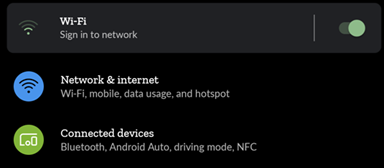
Then click on Wi-Fi to select SAU_StudentWiFi
When prompted, use the password: stambroseuniversity
- This will allow limited connection to allow the registration
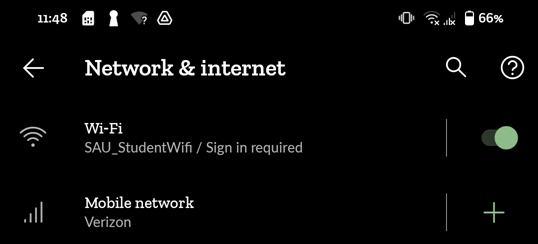
Once connected, click on the gear icon to open settings. Then click on the arrow next to Advanced

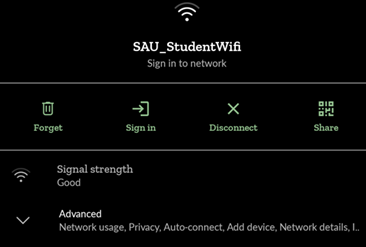
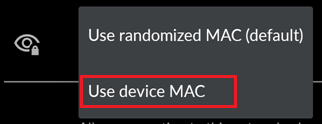
Search for Privacy. If ‘Use randomized MAC(default)’ is present, click on it to open a new menu.
Select ‘Use Device MAC’
While on this page you will be able to find the Device MAC Address below to register the device with at https://pcreg.sau.edu

Please see the Device Registration Guide article for further details
Comments
0 comments
Please sign in to leave a comment.